
 SuzyQ - a Chrome extension by Backyard Software
You handle the conversation. SuzyQ handles the clicking.
Every outbound call has two halves. The half where you talk to a human being, and the half where you retype the same six fields, hunt for the disposition dropdown, and try to find your place in the script. SuzyQ takes the second half.
Free for 30 days - the whole product, no card. Then $40 a month, or $400 for the year.
Why this exists
A dialing desk is mostly admin
Nobody was ever hired to be good at tabbing between windows. But that is where the day goes, and it is the part that gets worse the more calls you make.
The same work, every single call
Open the record. Log the call. Pick the disposition. Paste the notes. Open the composer. Send the follow-up. It is identical on call one and on call ninety, and it is done by hand both times.
Losing your place mid-sentence
You are eight lines into a page of script, the customer asks something from page three, and by the time you have found it you have lost the thread of what you were saying.
The objection you have heard a hundred times
There is a good answer to it. Somebody wrote it down. It is in a document you do not have open, and the customer is waiting.
What SuzyQ is
One panel, docked beside your CRM, open all day
SuzyQ does two jobs, and the interesting part is where they meet.
It records and replays what you do in the browser
Press record, work through a task once, and SuzyQ keeps it as a named script. Next time it is one click. It is not a macro that repeats mouse coordinates - it finds the same controls by their identity on the page, waits for each one to be ready, retries when the page is slow, and tells you step by step what it did.
It helps you while you are on the phone
The same panel holds your script as a teleprompter, pops reference cards onto a second monitor, transcribes the customer's side of the call on your own machine, and puts a suggested response in front of you when it recognizes an objection.
On the call
Everything you need in front of you, without a second window
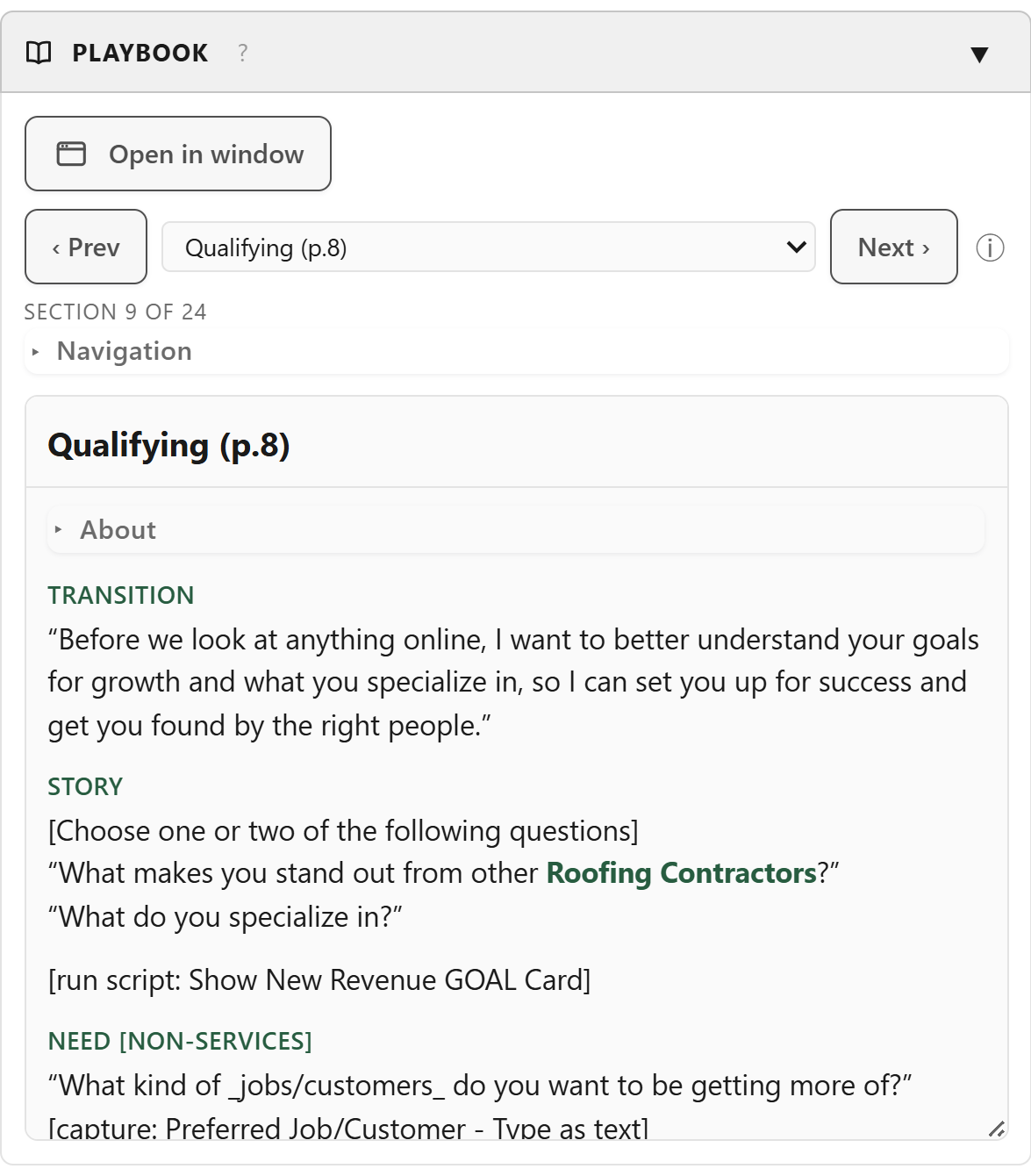
A teleprompter that keeps your place
Your script sits in the panel, one section at a time, with a navigation tree so you can jump without scrolling. This account's real details are merged into the lines before you read them, so you are not saying "your business" when you could be saying the name.
- Prev and Next, or jump straight to any section
- Follow-my-voice moves the highlight as you read
- It can open the right section for you based on what kind of account it is
- Pops out into its own window for a second monitor
It listens, and tells you what to say next
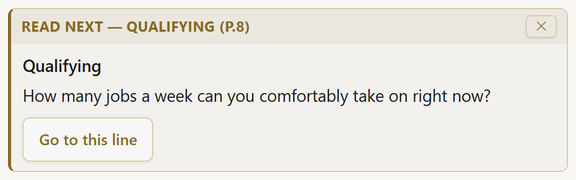
Point SuzyQ at your softphone tab and it transcribes the customer's side of the call. When it hears an objection it already has an answer for, that answer appears. Switch on the AI coach and it names the one line in your script you should read next, with a button that moves the teleprompter there.
- Transcription runs on your own computer by default
- Transcripts are never saved - no file, no export, no upload
- The coach never writes words for you; it picks a line your team already wrote
- Turn it on mid-call for a difficult account, and off again after
Cards, for the things you always have to look up
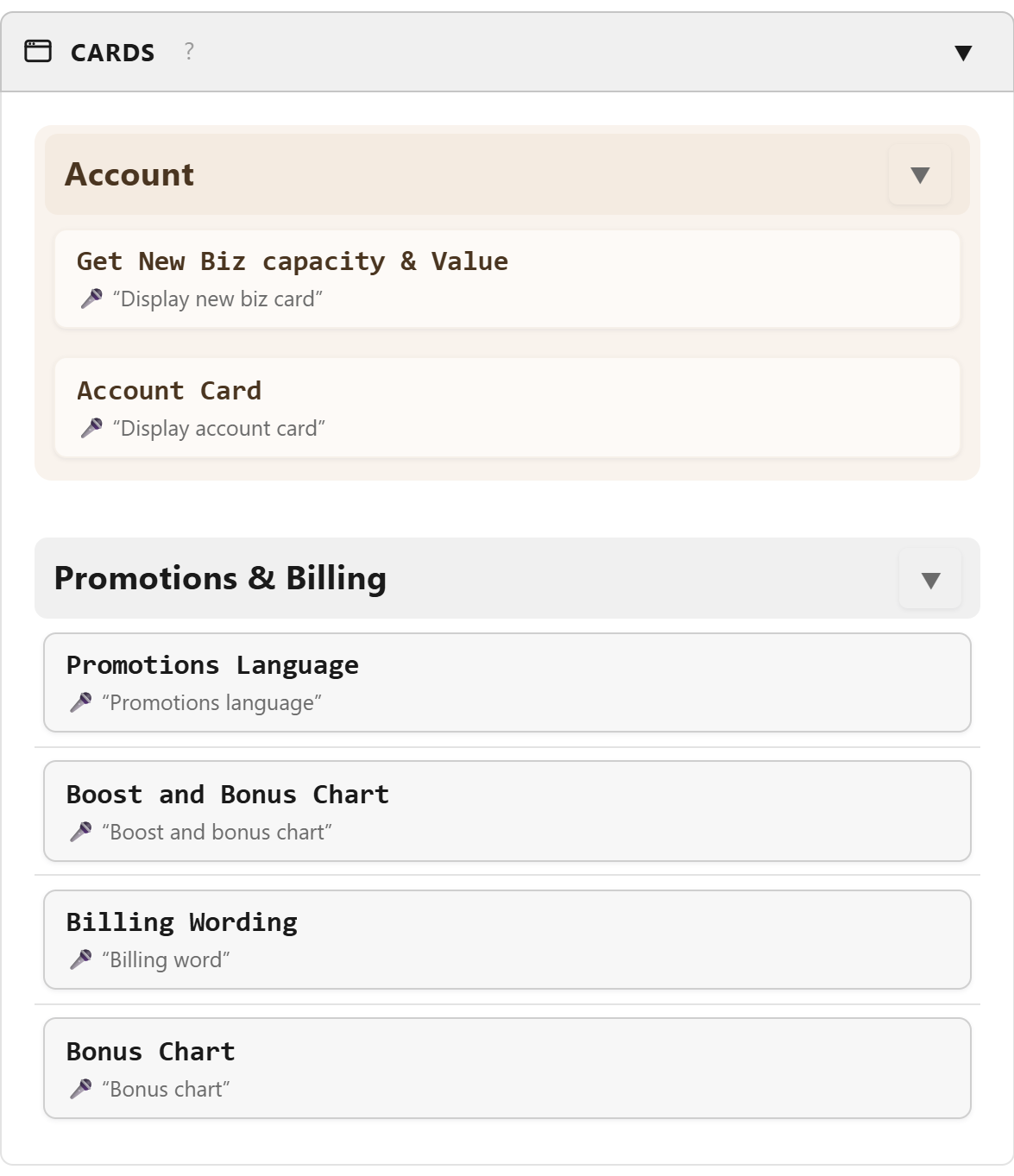
Pricing tables, billing wording, the bonus chart, the numbers you quote. Put them on a card and pop it up with one click or one spoken phrase. A card can do arithmetic on the values scraped from the account, so the figure you read out is this customer's figure, not an example.
- Cards update live as scraped values change
- Fill-in fields you can dictate into mid-call
- A button on a card can run a whole script
- Show one on your second monitor and leave it there
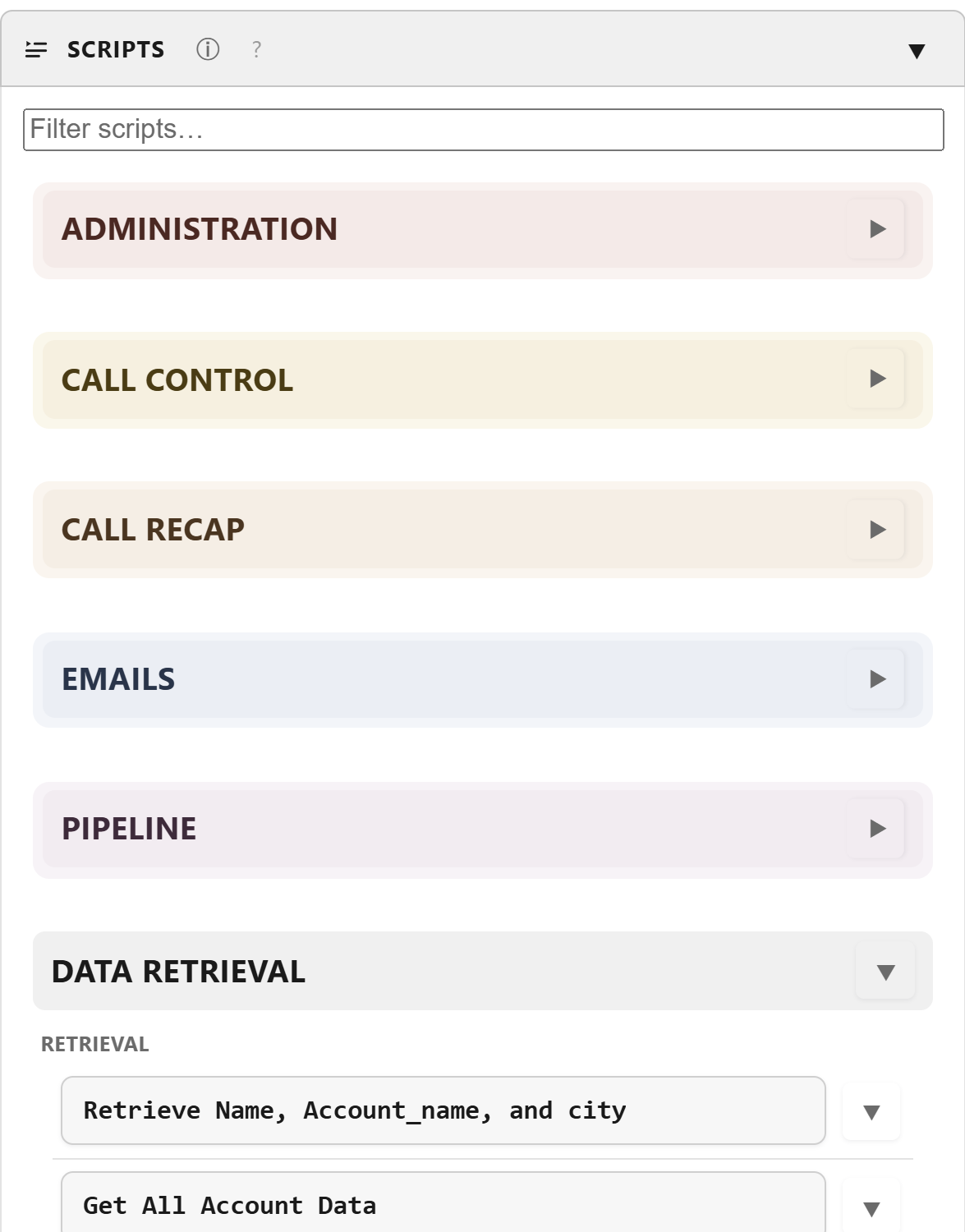
Your scripts, in the groups you keep them in
A script's name is its button - click it and it runs. Group them the way your day is shaped: pre-call, during, post-call, emails, pipeline. A run bar shows which step it is on and gives you a Cancel, so nothing ever happens without you seeing it.
- Email scripts can run in a second window without stealing your screen
- Say a phrase and a script runs, so your hands stay where they are
- Decisions route you down the right branch automatically
- Scripts can call other scripts, so you build once and reuse
Getting started
Three steps, and the first call is faster
You do not have to build everything before you get value. One script that logs a call is enough to notice the difference on day one.
Install it beside your CRM
SuzyQ is a Chrome extension. It opens in the browser's side panel, on the right of the window you already work in. Nothing else to install, no account to create.
Record one thing you do every call
Press record, do it once by hand, press stop, give it a name. SuzyQ shows you every step it captured so you can see exactly what it will do.
Click its name on the next call
That is the whole of it. Then add the next one - the disposition, the follow-up email, the recap - until the admin half of the call is a handful of clicks.
Privacy
There is no server. There is nothing to sign in to.
This matters more in this job than in most. You are looking at customer records all day, and a tool that quietly shipped that somewhere would be a problem for you and for your employer.
Backyard Software operates no servers. Your scripts, your saved values, your script text and your settings live in your own Chrome profile on your own computer. There is no analytics, no telemetry and no account.
- Call audio is transcribed on your machine wherever your computer supports it, and the transcript is never written to a file.
- The AI coach runs on your device using Chrome's built-in model. There is no network request on that path at all.
- Two optional features can reach a third party - AI practice calls and voicemail-in-your-own-voice - and only if you enter your own key for them. Leave it blank and nothing is sent.
- You can take your work with you. One button exports everything as a file you own. Saved passwords and API keys are stripped out of it rather than exported.
Pricing
One price. Everything in it.
Every subscription starts with a free 30-day trial - the whole product, no card. After that it is $40 a month, or $400 if you pay for the year. No feature tiers, no per-seat maze, and no sales call to find out what it costs.
Monthly
Billed every month
$40/month
placeholder
- Starts with a free 30-day trial
- Every feature, no add-ons
- Cancel any time
- Email support
Annual
Billed once a year
$400/year
Save $80 - the equivalent of two months free
- Starts with a free 30-day trial
- Every feature, no add-ons
- Works out at $33.33 a month
- Email support
Buying for a room full of agents? We deal directly with the organization - see the team page.
Questions
The things agents ask first
How does the free trial work?
You get the whole product for 30 days. Every feature, no parts held back, and no card - so there is nothing to cancel and nothing that charges you when it ends. SuzyQ is distributed privately rather than listed publicly, so tell us the Google account you use with Chrome, we grant it access, and you get an install link back - usually the same day.
Near the end we ask once whether you want to carry on. If you do not, that is the end of it. Anything you built during the trial is yours either way - the export button hands you a file with all of it in.
Does it dial for me?
No. SuzyQ works alongside your softphone rather than replacing it - it clicks the click-to-dial link the same way you would. It is a call assistant, not a dialer.
Will it work with my CRM?
SuzyQ records what you do on a web page, so it works with any CRM that runs in Chrome - Salesforce, HubSpot, an in-house tool, whatever your company uses. It is not built against one vendor's API, which is exactly why it is not limited to one vendor.
The one thing no extension can do is work on Chrome's own pages - chrome:// pages, the Web Store and the built-in PDF viewer are off limits to every extension, and SuzyQ says so plainly rather than appearing to work.
Do I need to be technical to set it up?
To record a script, no - you press record and do the job once. The deeper parts (scraping values off a record, decisions, cards that calculate) are laid out step by step in the manual, and most teams have one person who sets those up for everybody.
Can my employer see what I do in it?
Not through us. There is nothing to see - SuzyQ has no servers and reports nothing to anyone, including to Backyard Software. Your work stays in your browser profile.
What happens to the recording of my calls?
SuzyQ captures the audio of the call tab so it can turn it into text, and that text appears in the panel and nowhere else. Nothing is written to a file, nothing is exported and nothing is uploaded by SuzyQ. Transcription happens on your own computer by default; if your machine has no on-device speech support, SuzyQ tells you and will not fall back to the cloud unless you tick the box that says so.
Does it cost extra for the AI parts?
The coach and plain-English voice commands use the AI model built into Chrome, on your machine, at no extra cost. Two optional extras - practice calls against an AI customer, and voicemail drops in a clone of your own voice - use outside services, and you supply your own key if you want them. That is the only thing on this site you would ever pay a third party for.
What do I need to run it?
Google Chrome, version 128 or later, on Windows or macOS. Some AI features download Chrome's on-device model once, the first time you use them.
Can I cancel?
Yes, at any time. A monthly subscription stops at the end of the month you have paid for. Your exported backup is a plain file you keep, so nothing you built is held hostage.
Still wondering something? Ask us - a person answers.
Get the admin half of the call back
Free for 30 days, no card. Then $40 a month, or $400 for the year - everything included, no tiers, and you can take your work with you whenever you like.